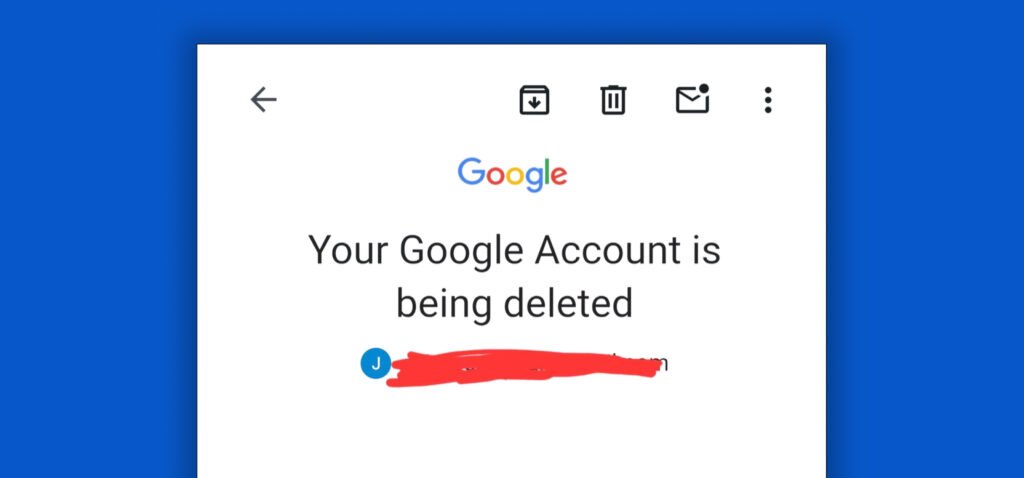
Google is not suddenly closing every Gmail account. However, it may delete personal Google Accounts that have not been used for at least two years.
That distinction matters because Gmail is only one part of your Google Account. If the entire account is deleted, you could lose emails, files, photos, calendar entries, contacts, and access to other services connected to that address.
The good news is that preventing deletion is fairly simple. You need to use the account periodically, keep your recovery information current, and back up anything you cannot afford to lose.
Why Is Google Closing Gmail Accounts?
Google considers a personal Google Account inactive when it has not been used for two years. Once an account becomes inactive, Google reserves the right to delete the account along with its activity and data.
There are two main reasons behind the policy.
Inactive Accounts Can Become Security Risks
People often forget about old Gmail accounts. They may also reuse passwords, leave outdated recovery information attached, or fail to enable additional security protections.
An abandoned account can become an easy target for someone trying to:
- Access old emails and personal information
- Reset passwords for other websites
- Send phishing or spam messages
- Impersonate the account owner
- Access files stored in Google Drive
Deleting long-abandoned accounts reduces the amount of old information that could potentially be exposed if an account is compromised.
Google Does Not Want to Store Unused Data Forever
Inactive accounts may still contain years of emails, files, photos, videos, and account activity.
Google’s inactivity policy allows it to remove accounts and data that have been left unused for an extended period. The policy applies to personal Google Accounts, not accounts provided through a workplace, school, or other organization.
Which Gmail Accounts Are at Risk?
The policy mainly affects personal Google Accounts that have not shown activity for at least two years.
An account does not have to be your primary Gmail address to be affected. Each account is evaluated separately.
For example, you may regularly use your main Gmail account while forgetting about:
- An old personal email address
- An account created for a side project
- A Gmail address used for online purchases
- An account connected to an old phone
- An email used to manage a business listing
- An account used for password recovery
Using one Google Account does not automatically keep your other accounts active.
What Counts as Google Account Activity?
You do not need to send emails every day to keep an account active. Google counts several actions as activity when you are signed in.
Examples include:
- Reading or sending a Gmail message
- Using Google Drive
- Watching a YouTube video
- Sharing a photo
- Downloading an app
- Using Google Search
- Using “Sign in with Google” on another website or application
Activity is connected to the individual account, not the device. If you have several Google Accounts signed in on the same phone or computer, make sure you use each account separately.
The simplest option is to sign in to every account you want to keep and use at least one Google service.
Are Any Accounts Exempt?
Some accounts may still be considered active even if they have not been directly used during the two-year period.
Google lists several possible exceptions, including accounts that:
- Have an active or ongoing Google subscription
- Contain a gift card balance
- Own a published application with active financial activity
- Manage an active child account through Family Link
- Were used to purchase certain digital items, such as a book or movie
These exceptions can change, so it is still safer to sign in and actively use an important account rather than assume it is protected.
What Happens to Your Data If Google Deletes the Account?
Google may delete the entire account and the data stored within it.
That could include:
- Gmail messages and attachments
- Google Drive files
- Google Docs, Sheets, and Slides
- Google Photos
- Google Calendar events
- Saved contacts
- YouTube content
- Account activity and settings
You may also lose access to services outside Google.
For example, suppose you created an account on another website using your Gmail address. If that website sends a password-reset link or verification code to the deleted address, you may no longer be able to receive it.
The same concern applies when you use “Sign in with Google.” Losing the Google Account could interfere with your ability to access the connected application.
Google states that recently deleted accounts might sometimes be recoverable, but recovery is not guaranteed. Once information has been removed from Google’s storage systems, it may be impossible to restore.
Do not wait until the account disappears before deciding whether the data matters.
Will Google Warn You Before Closing the Account?
Google says it will send notifications before deleting an inactive account.
Those notices may be sent to:
- The affected Google Account
- The recovery email address connected to the account
This gives the account owner a chance to sign in and take action.
The problem is that many people no longer check the email account being targeted for deletion. Their recovery address may also be outdated or inaccessible.
That is why recovery information should be reviewed before you need it.
How to Keep Your Gmail Account Active
Keeping an account active does not require much work.
Sign in and complete a normal action, such as reading an email, opening a file in Google Drive, using Google Search, or watching a YouTube video while signed in.
For people with several accounts, it helps to create a simple list containing:
- The Gmail address
- What the account is used for
- Its recovery email address
- Its recovery phone number
- Any important websites connected to it
Set a reminder to review those accounts at least once a year. This gives you enough time to fix forgotten passwords or outdated recovery methods before reaching the two-year inactivity period.
Protect Your Gmail Account Before It Is Too Late
Preventing inactivity is only one part of protecting the account. You should also make sure nobody else can access it.
Update Your Recovery Information
Check that your recovery phone number and recovery email address are still correct.
Google uses this information to alert you about suspicious activity, block unauthorized access, and help you recover the account if you cannot sign in.
Do not use an additional forgotten Gmail account as your only recovery option.
Complete a Google Security Checkup
Google’s Security Checkup provides personalized recommendations based on your account.
Review:
- Devices currently signed in
- Recent security activity
- Recovery information
- Third-party applications with account access
- Saved passwords that may be weak or exposed
Remove any device, application, or connection you no longer recognize or use.
Enable Two-Step Verification or a Passkey
A password alone may not be enough to protect an important Gmail account.
Two-Step Verification adds another sign-in requirement if someone obtains your password. Google also supports passkeys, which allow you to verify your identity using your device, fingerprint, face scan, or screen lock.
Use a unique password that is not shared with other accounts.
Back Up Important Google Data
Account activity can prevent inactivity deletion, but it does not replace a backup.
Google Takeout allows you to export data from services such as:
- Gmail
- Google Drive
- Google Calendar
- Google Photos
- YouTube
You can select which products to include and create an archive of the data. Downloading the archive does not remove the original information from your Google Account.
Store important business or personal information somewhere outside the same Google Account.
Set Up Inactive Account Manager
Inactive Account Manager lets you decide what should happen if you stop using your Google Account.
You can choose trusted contacts and select certain information to share with them after the account has been inactive for a specified period. Google will only notify those contacts after the inactivity period is reached.
This is useful for accounts containing important family records, photos, financial documents, or business information.
What Businesses Should Do About Gmail Accounts
Google’s personal inactive-account policy does not apply in the same way to managed Google Workspace accounts. However, businesses still face serious risks when company information is connected to personal Gmail addresses.
Critical accounts should not depend on one employee’s personal email.
This can become a problem when an employee leaves, forgets the password, loses access to the recovery phone, or allows the account to become inactive.
Businesses should:
- Use managed company accounts for business systems
- Document who owns each important account
- Maintain more than one authorized administrator
- Review access when employees or vendors leave
- Avoid using personal Gmail addresses as the only recovery method
- Transfer ownership of shared files and business listings
- Back up critical company information
Pay special attention to Google Business Profiles, advertising accounts, analytics platforms, social media accounts, domain registrations, and cloud services. Losing the email address connected to one of these tools can make recovery challenging.
Frequently Asked Questions
Does Google delete inactive Gmail accounts?
Google reserves the right to delete personal Google Accounts that have been inactive across Google for at least two years. The account’s activity, Gmail messages, and other associated data may also be deleted.
Does signing in keep my Gmail account active?
Signing in can show account activity, but the safest approach is to sign in and use a Google service. Read an email, open Google Drive, use Search, or watch a YouTube video while signed in.
Will Google delete my photos and Drive files?
If Google deletes the entire account for inactivity, content associated with services such as Gmail, Drive, Calendar, and Photos may also be deleted.
Does this policy apply to work or school accounts?
Google’s personal inactive-account policy does not apply to accounts created for users through a workplace, school, or other organization. Those accounts are generally controlled by the organization’s administrator.
Can I recover a Gmail account after it is deleted?
A recently deleted account may sometimes be recoverable, but there is no guarantee. Recovery becomes less likely as more time passes, and deleted data may not be available.
How do I check whether my account is active?
Sign in to the Google Account and use one of Google’s services. While signed in, review your recovery information and complete the Security Checkup.
Do Not Wait for a Deletion Warning
Google is not closing Gmail accounts simply because they are old. The risk applies when personal Google Accounts remain unused for at least two years.
Sign in to every account you want to keep. Update the recovery information, secure the account, and download a copy of anything important.
For businesses, take the additional step of moving company systems away from unmanaged personal accounts. MITSSC can help your organization review account ownership, improve access controls, protect cloud data, and reduce the risk of losing access to important business tools.